

Purpose
This SOP describes how to use Asana's AI assistant to ask questions about product development workflows, including creating templates, setting up roadmaps, and managing product launches.
Scope
This procedure is intended for all Asana users who want to learn about product development features and best practices using the AI assistant. Follow this SOP when you need guidance on setting up product development workflows in Asana.
Prerequisites
Active Asana account with access to the workspace
Logged in to your Asana workspace
Procedure
- Step 1 of 5
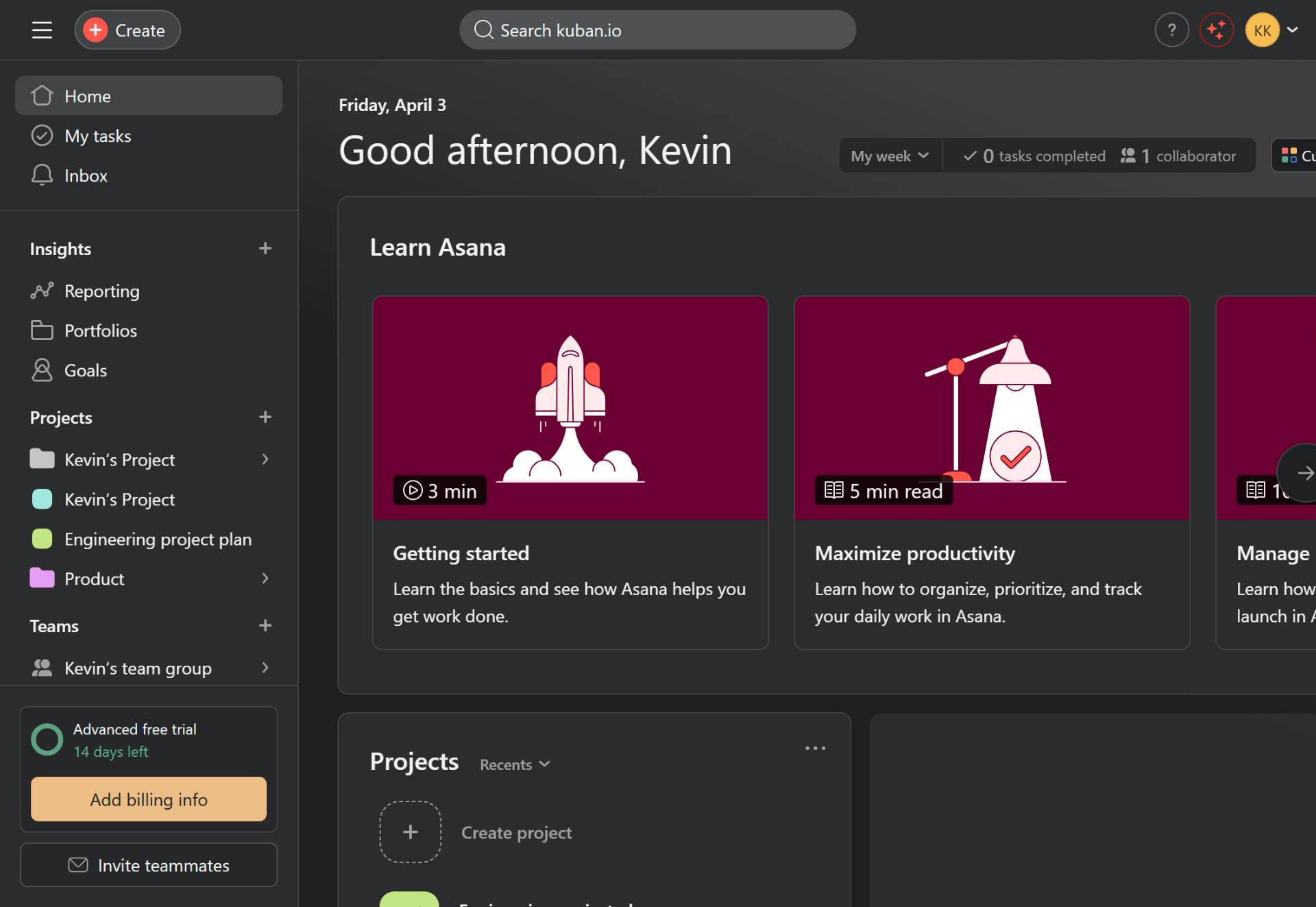
Navigate to app.asana.com
Open the Asana web application
Navigate to app.asana.com and sign in with your Asana credentials to access your workspace home page.
- Step 2 of 5
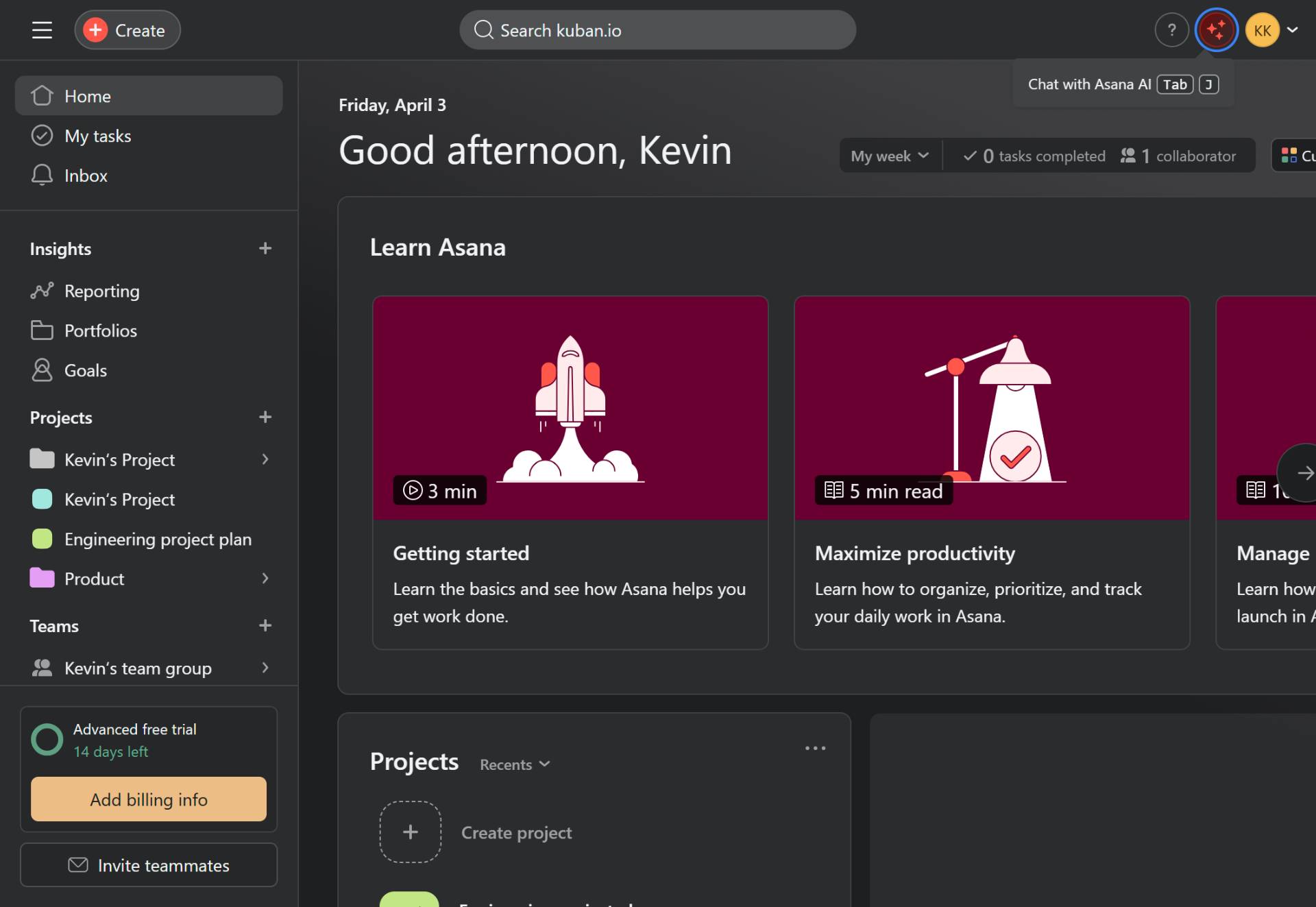
Open Asana AI chat
Click the Chat with Asana AI button
Click the Chat with Asana AI button located in the top-right corner of the screen to open the AI assistant panel.
- Step 3 of 5
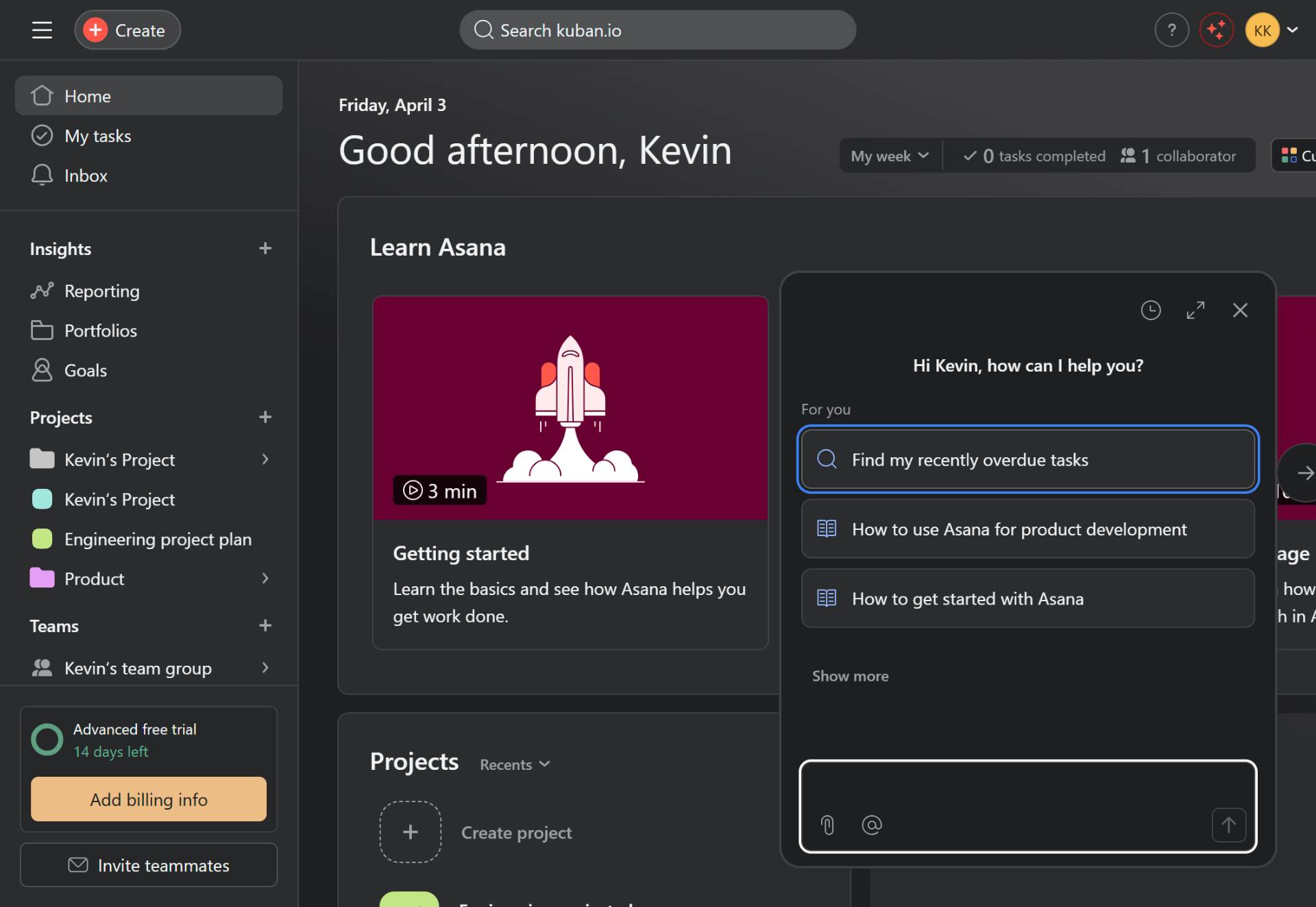
Select a product development question
Click the suggested question about product development
In the AI chat panel, click on the suggested question How to use Asana for product development. Alternatively, you can type your own question in the text input field at the bottom of the chat panel.
- Step 4 of 5
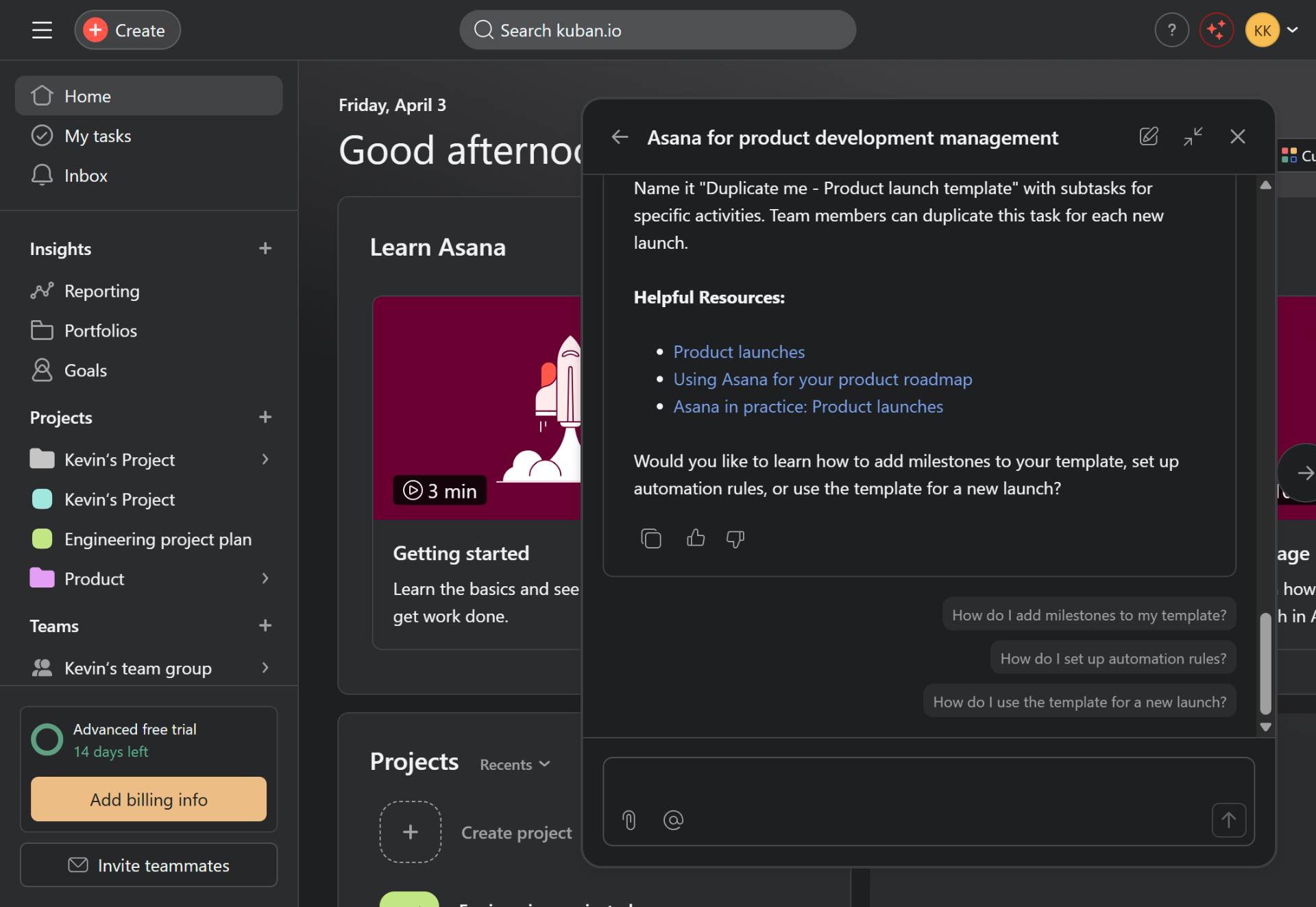
Review the AI response
Read the AI's helpful resources and suggestions
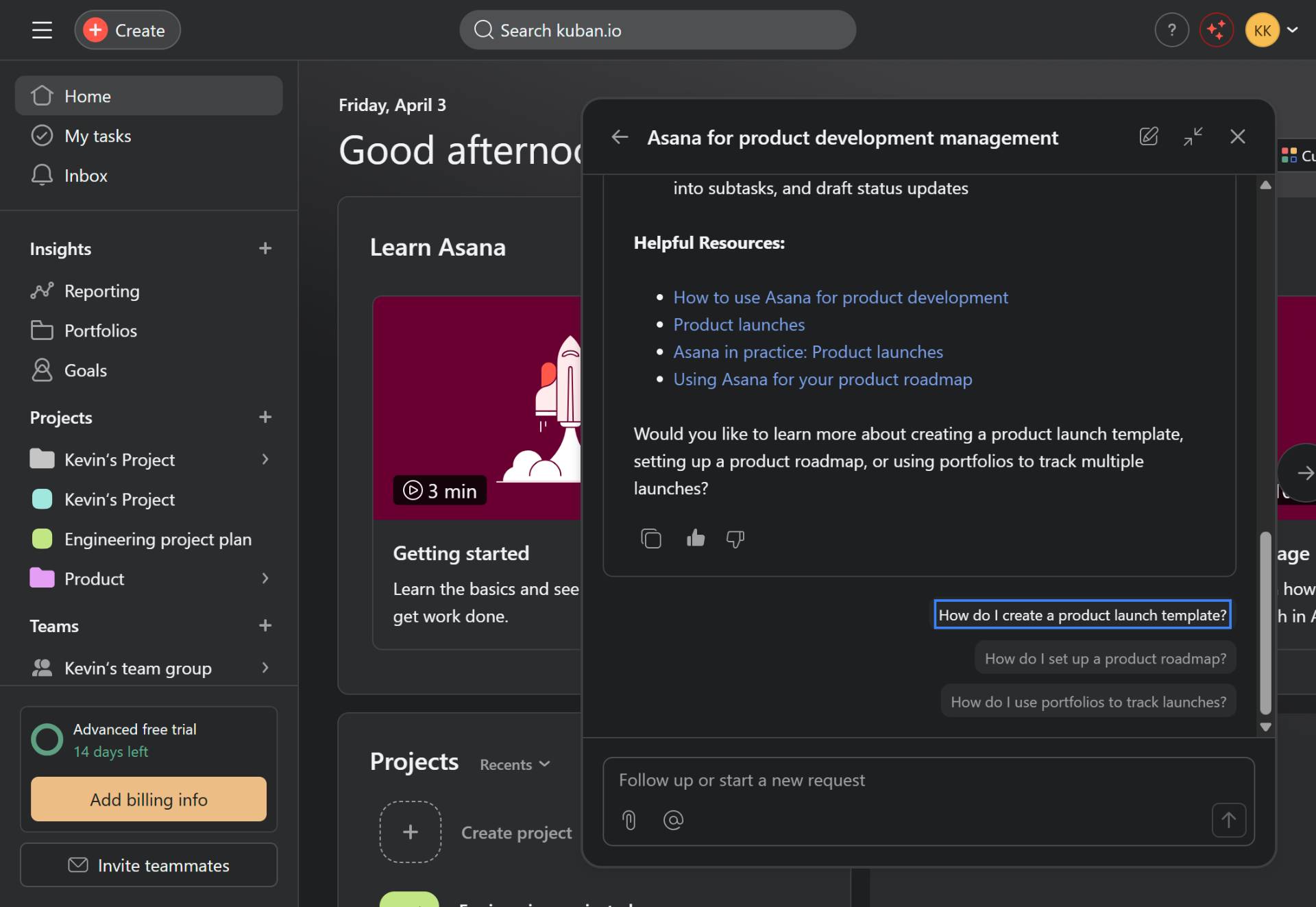
The AI will respond with helpful resources including links to guides on product launches, product roadmaps, and best practices. Review the provided information about using Asana for product development management.
- Step 5 of 5
Ask follow-up questions
Click a suggested follow-up question
To get more specific information, click on any of the suggested follow-up questions. For example, clicking How do I create a product launch template? will provide detailed instructions on creating templates for product launches.
Verification
Confirm the procedure was successful by verifying:
The AI chat panel opened successfully and displayed a greeting message
The AI provided relevant resources about product development
Suggested follow-up questions are displayed at the bottom of the chat
Conclusion
You have successfully used Asana AI to ask about product development workflows. The AI assistant has provided helpful resources and guidance that you can use to set up product launches, roadmaps, and development templates in your Asana workspace.