

Purpose
This SOP describes how to compose and send a direct message to a team member within Asana, enabling quick communication without creating a task.
Scope
This procedure is intended for all Asana users who need to send messages to teammates. Use this SOP when you need to communicate directly with a team member through Asana's messaging feature.
Prerequisites
Logged in to Asana with your account
Access to the team or project where the recipient is a member
Procedure
- Step 1 of 6
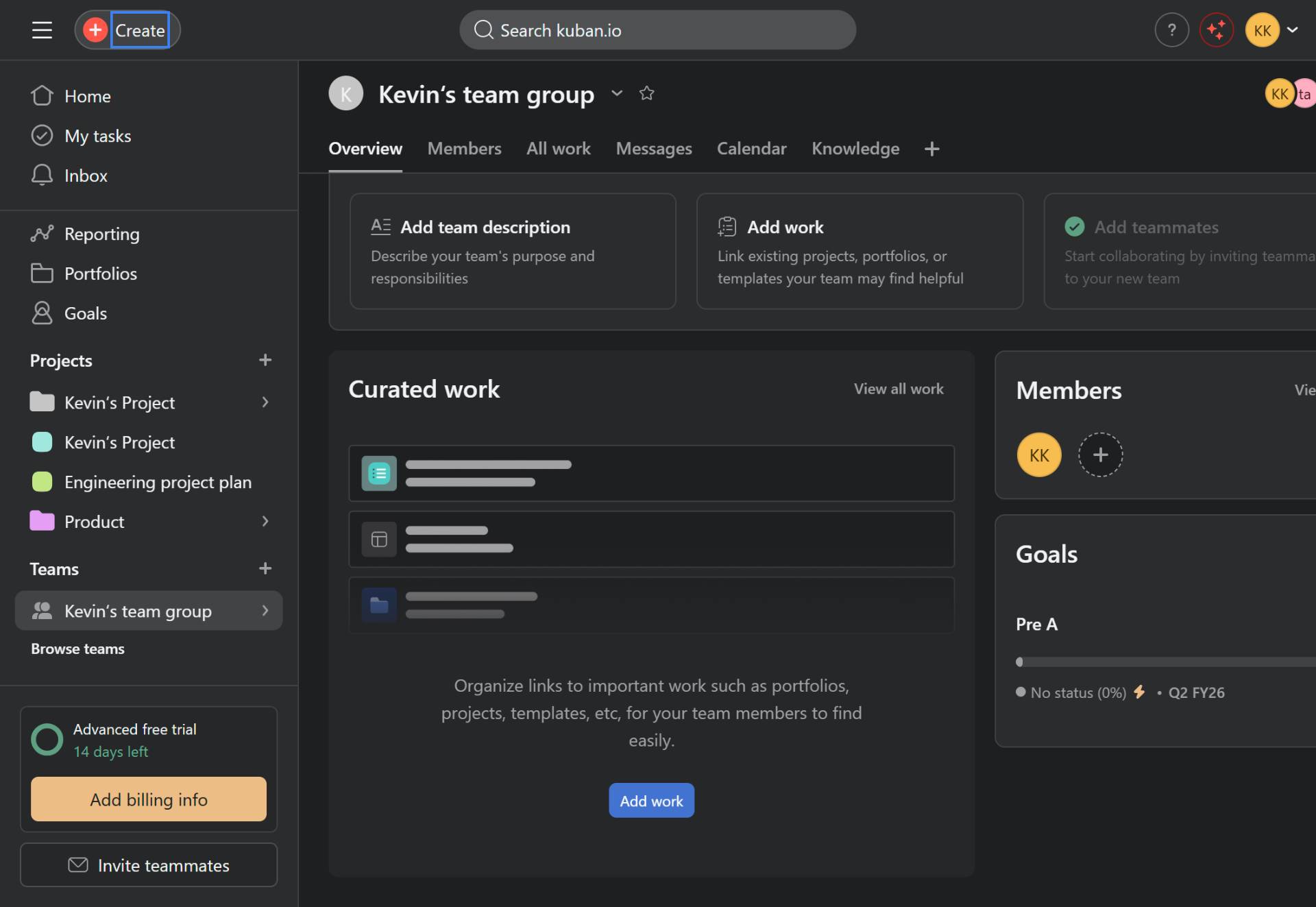
Navigate to Asana
Open Asana in your browser
Navigate to app.asana.com and ensure you are logged in to your account.
- Step 2 of 6
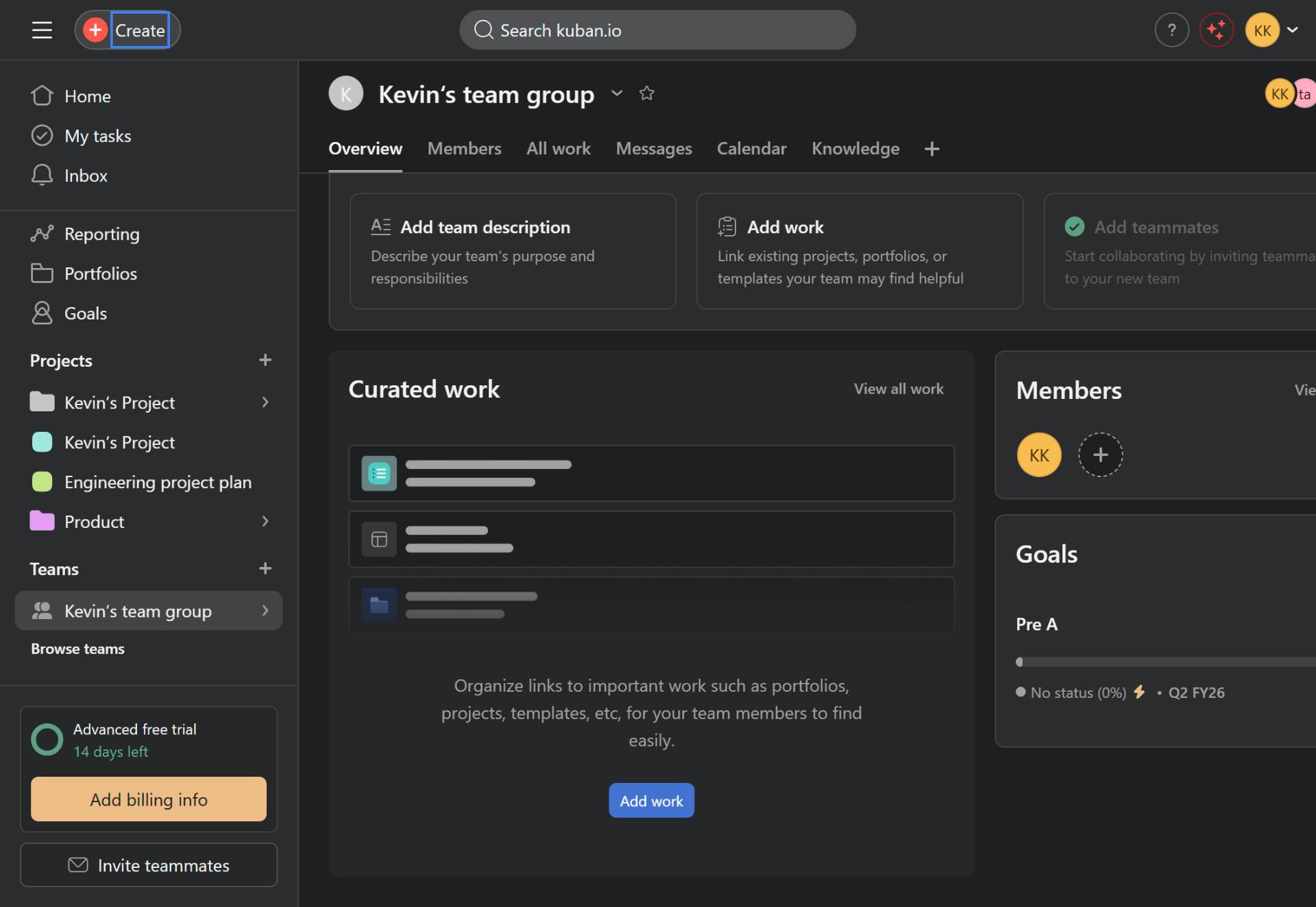
Click the Create button
Click the Create button
Click the Create button located in the top-left corner of the Asana interface. This button has a plus icon and will open a dropdown menu with creation options.
- Step 3 of 6
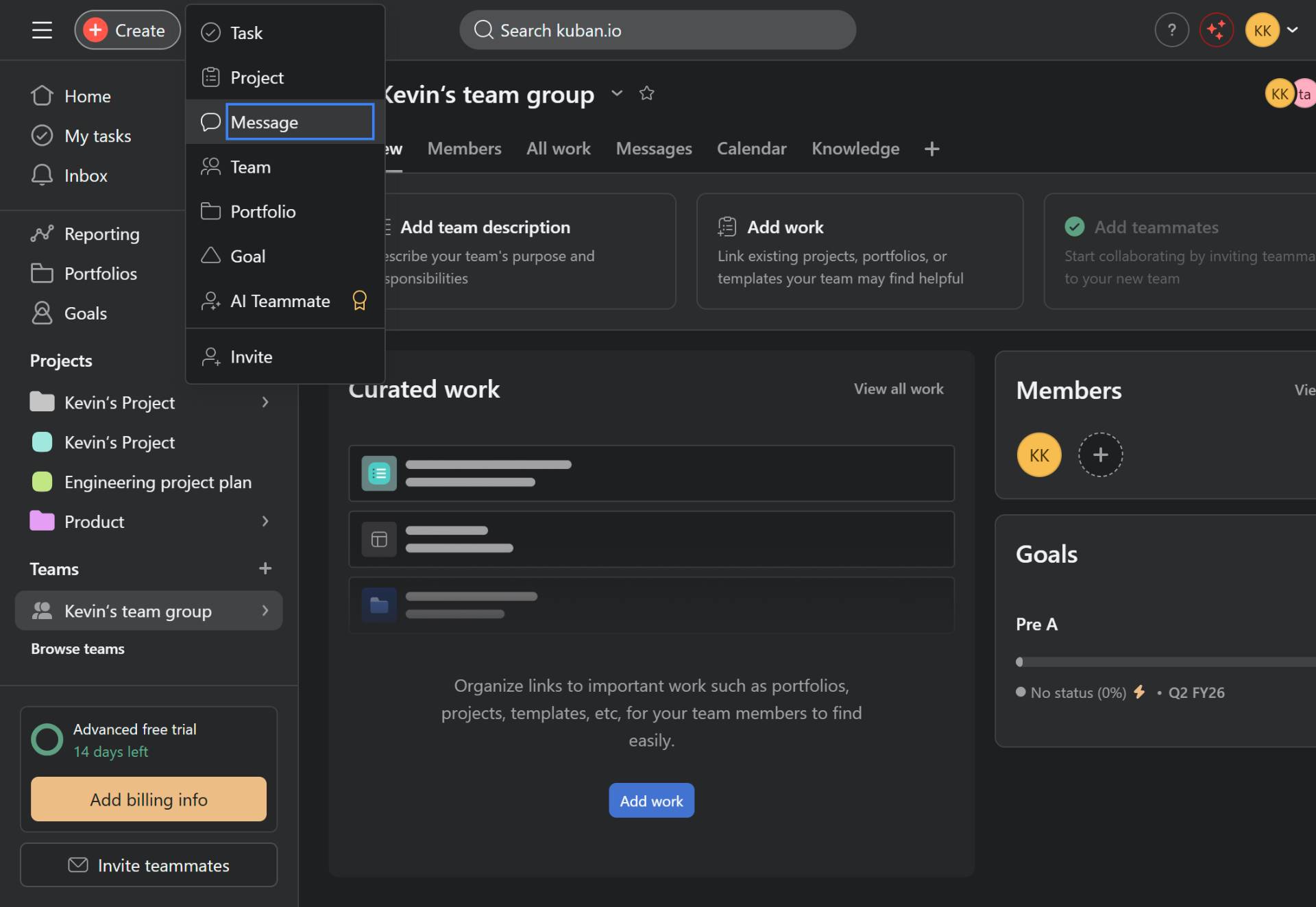
Select Message from the dropdown
Click Message in the dropdown menu
From the dropdown menu that appears, click on Message. The available options in this menu include:
- Step 4 of 6
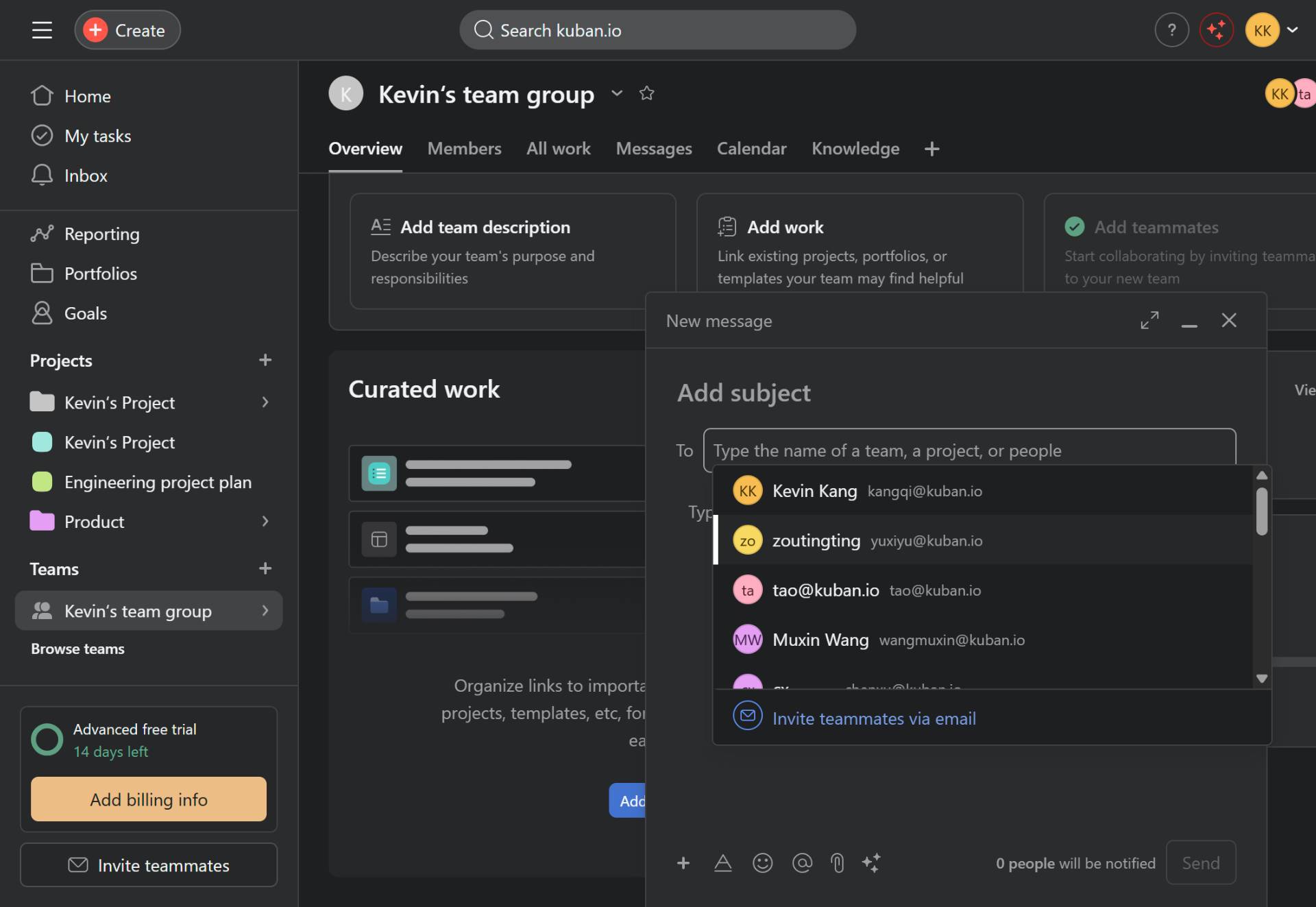
Select the recipient
Choose a team member to message
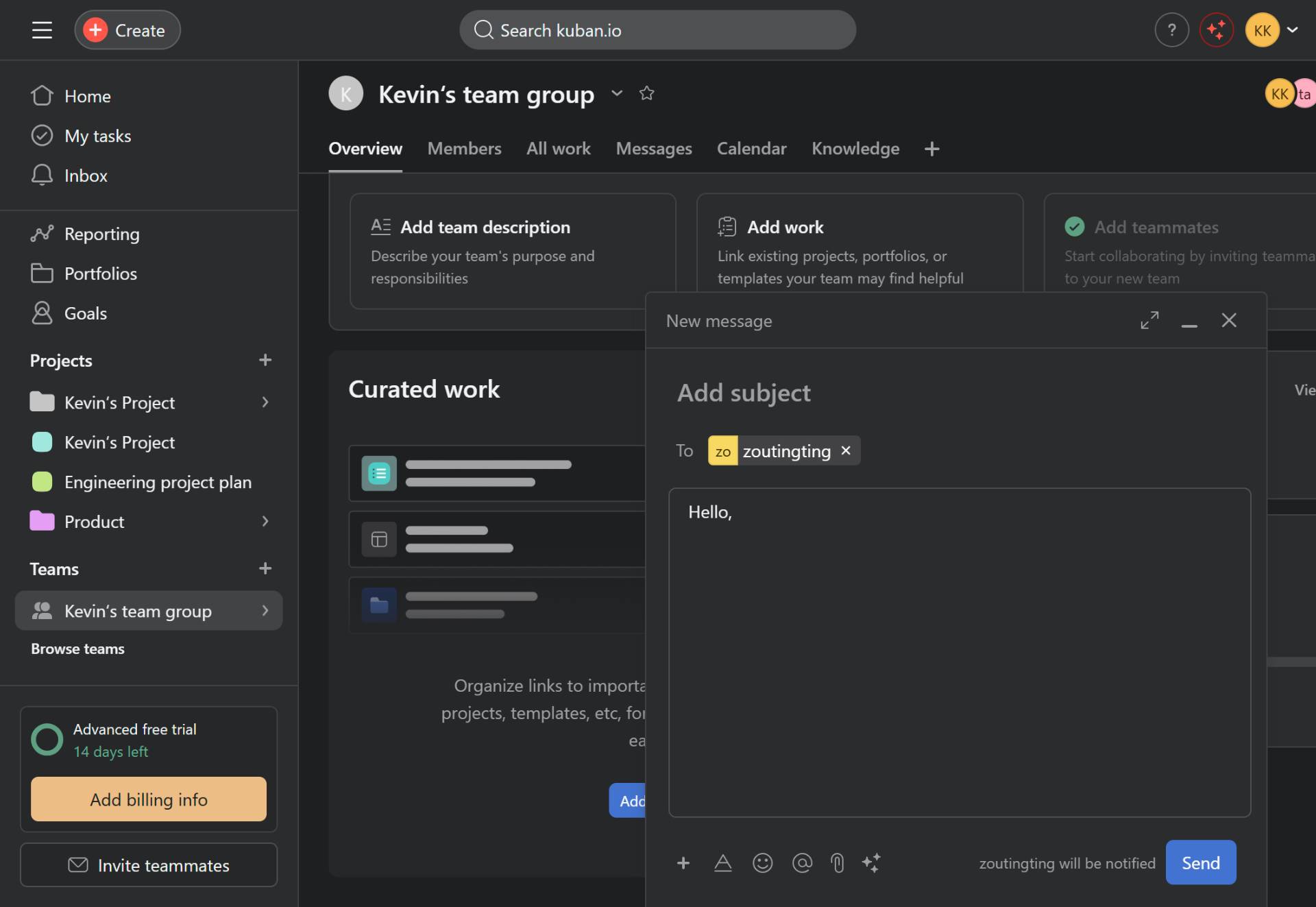
In the To field, start typing the name of the team member you want to message. As you type, Asana will display matching team members. Click on the desired recipient from the dropdown list to select them.
- Step 5 of 6
Compose your message
Type your message content
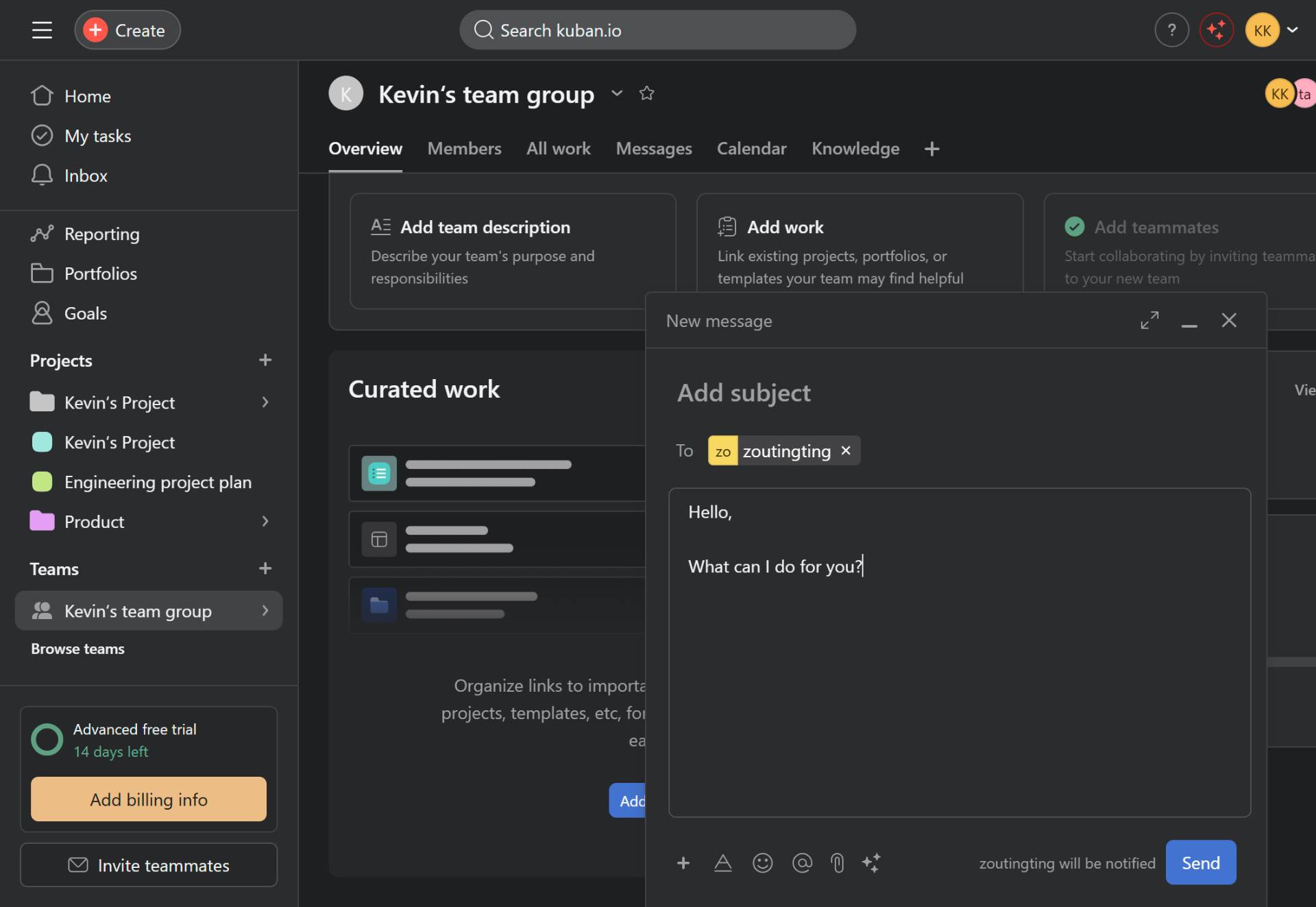
Click in the message composition area (the large text box below the recipient field) and type your message content. You can also add a subject line by clicking the Add subject field at the top.
- Step 6 of 6
Send the message
Click the Send button
Once you have composed your message, click the Send button in the bottom-right corner of the message dialog. The button will be highlighted in blue when ready to send.
Verification
After sending the message, confirm successful delivery by checking for:
A green "Message sent" confirmation toast notification at the bottom-left of the screen
The message dialog closing automatically
The message appearing in your Messages section if you navigate to it
Conclusion
You have successfully composed and sent a direct message to a team member in Asana. The recipient will be notified of your message and can respond directly within the platform.