

Purpose
This SOP describes the procedure for creating a new GitHub repository with a README file, enabling you to initialize and manage code projects.
Scope
This procedure is intended for GitHub users who need to create new repositories for storing code, documentation, or project files. Follow this SOP when creating a new code repository from scratch.
Prerequisites
A GitHub account with an active login session
Basic understanding of repository naming conventions
Procedure
- Step 1 of 6
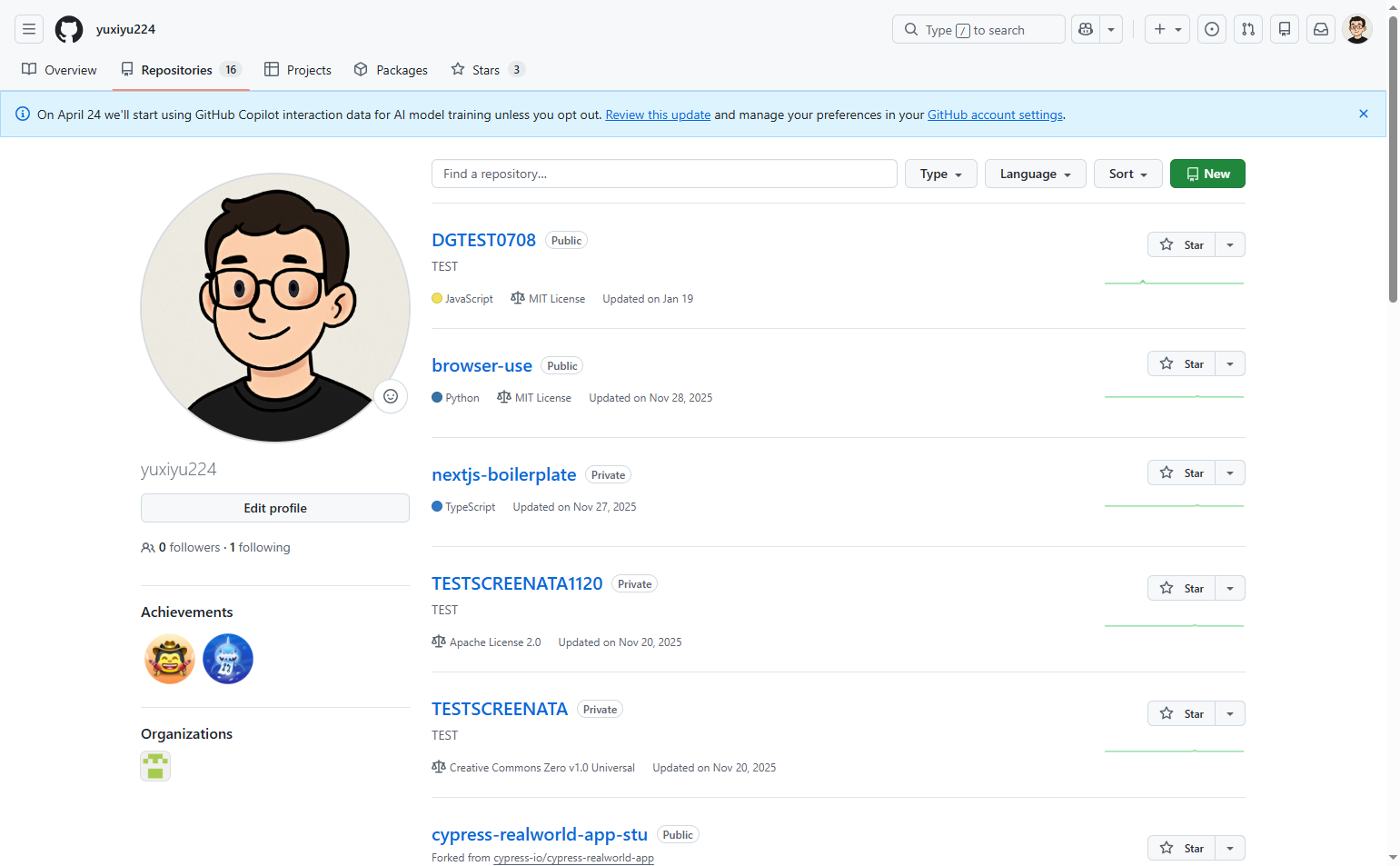
Navigate to github.com
Open GitHub and go to your repositories
Navigate to github.com and ensure you are logged in to your GitHub account. You will be taken to your repositories page where existing repositories are listed.
- Step 2 of 6
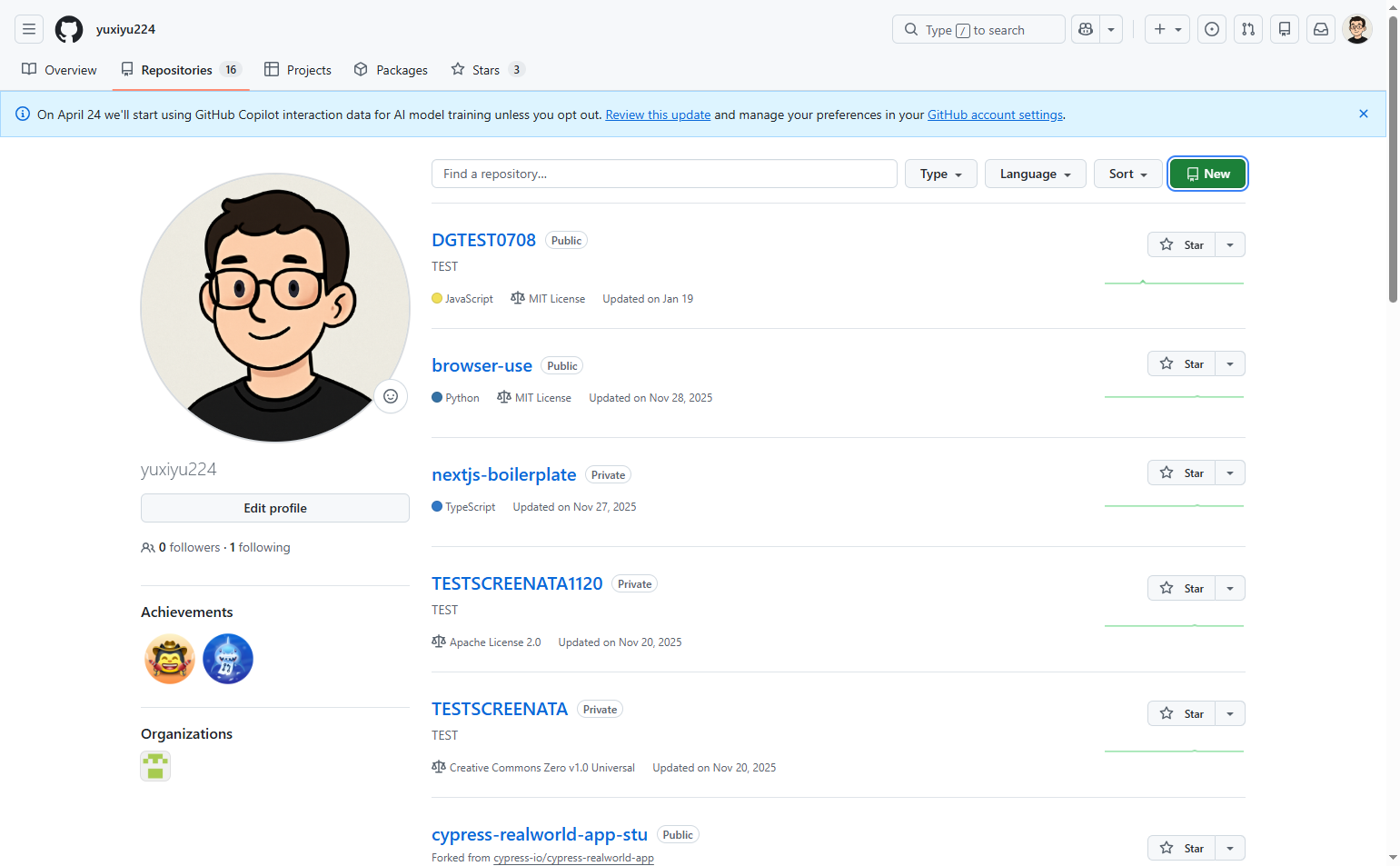
Click the New button
Click the green New button
Click the green New button located in the upper right area of the repositories list. This will open the repository creation form.
- Step 3 of 6
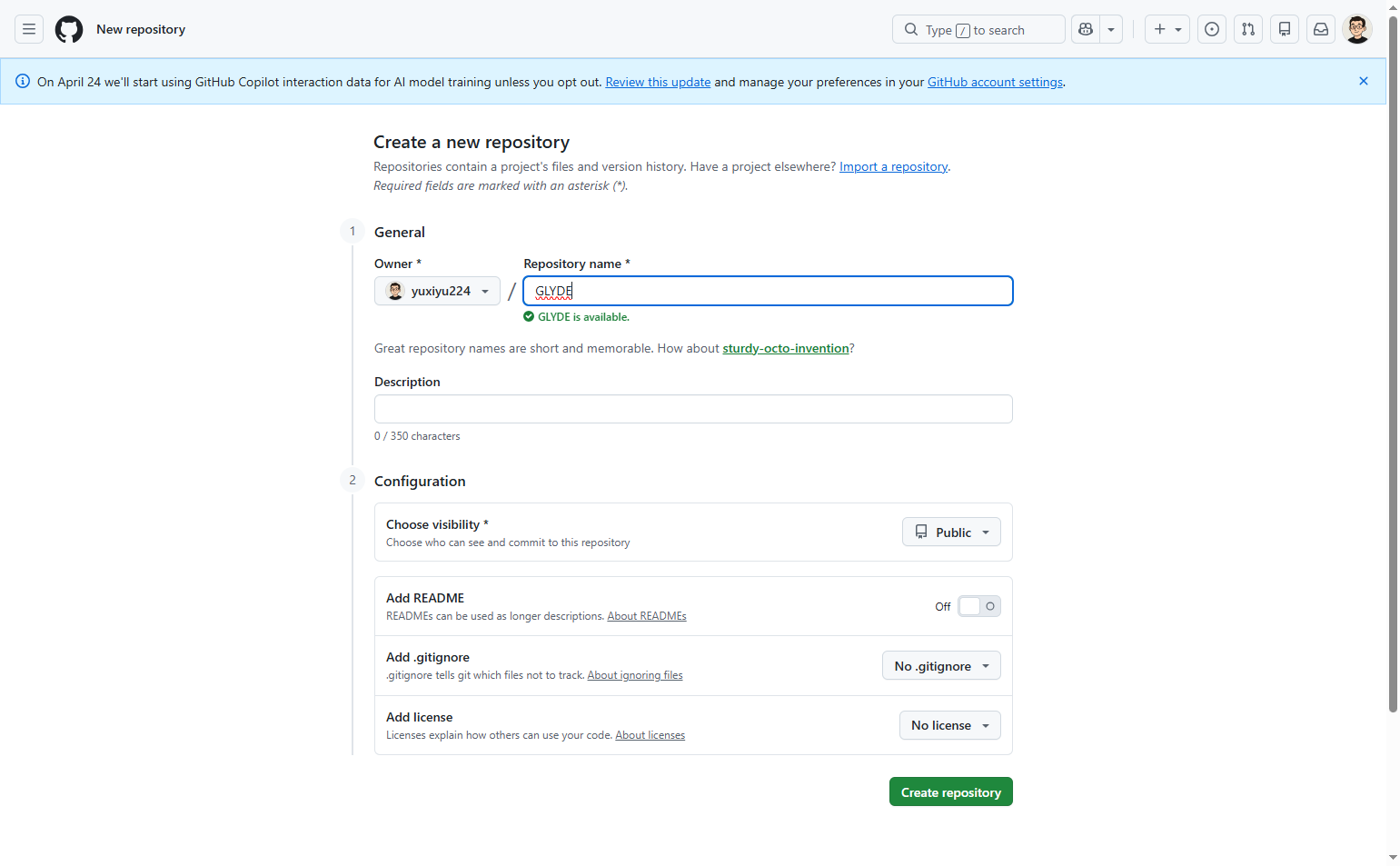
Enter repository name
Type the repository name in the Repository name field
In the Repository name field (marked with an asterisk as required), enter a name for your repository. The name should be short, memorable, and descriptive of your project.
- Step 4 of 6
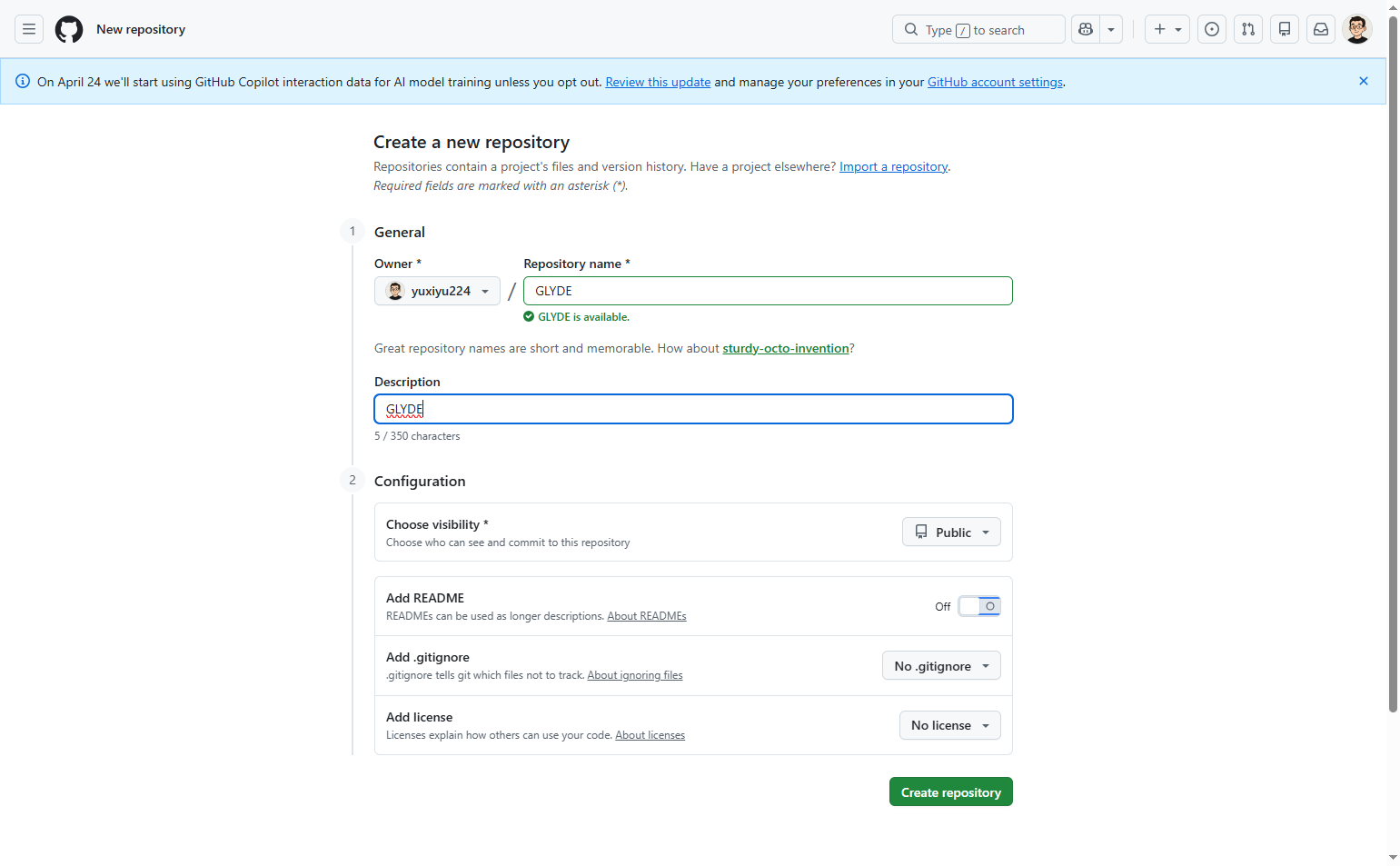
Add a description
Enter a description for the repository
In the Description field (optional), enter a brief description of what the repository will contain. This helps others understand the purpose of your project.
- Step 5 of 6
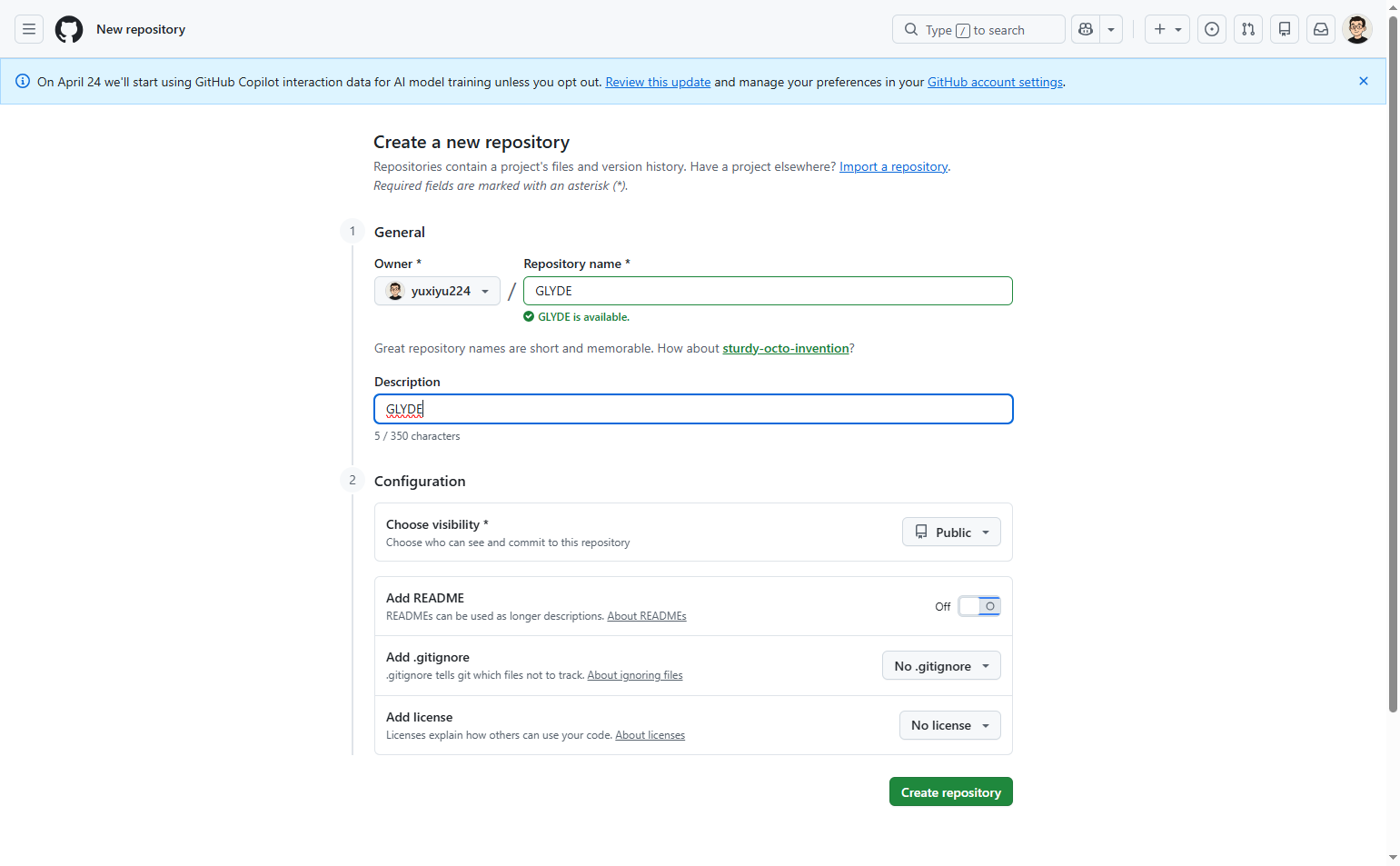
Configure repository options
Toggle Add README to ON
In the Configuration section, configure the following options as needed:
- Step 6 of 6
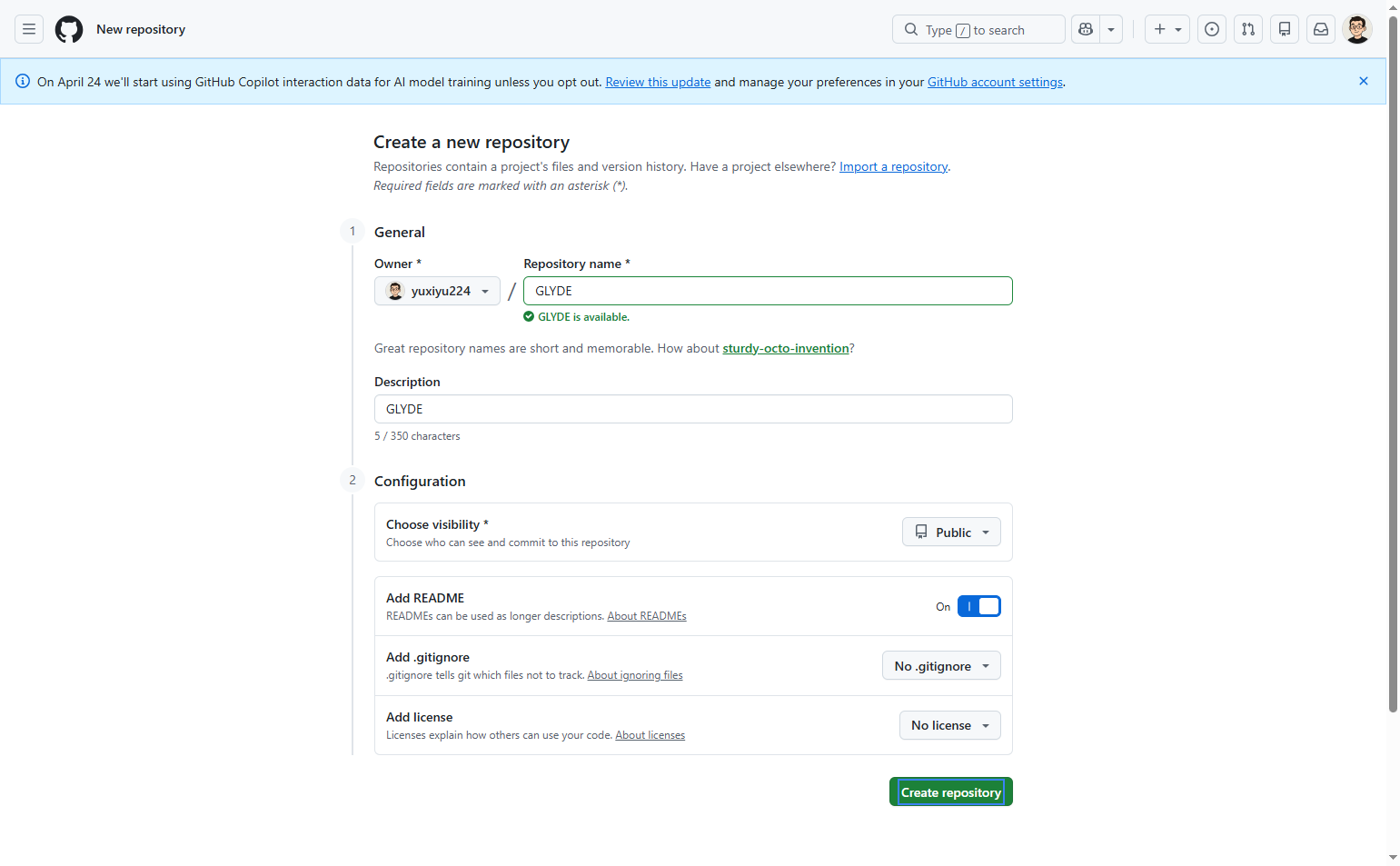
Create the repository
Click the Create repository button
Click the green Create repository button at the bottom of the form. GitHub will create the repository and redirect you to the new repository page.
Verification
After completing the creation process, verify the repository was created successfully:
Confirm you are redirected to the new repository's main page.
Verify the repository name and description match what you entered.
If you enabled the README option, confirm that README.md appears in the file list.
Check that the visibility setting (Public or Private) matches your selection.
Troubleshooting
Repository name already exists
If you receive an error stating the repository name already exists, choose a different unique name. GitHub does not allow duplicate repository names under the same user account.
Repository name contains invalid characters
If the repository name field shows a validation error, remove any spaces or special characters. Use only letters, numbers, hyphens, underscores, and periods.
Create repository button is disabled
Ensure you have entered a valid repository name in the required field. The Create repository button will remain disabled until all required fields are properly filled.
Conclusion
You have successfully created a new GitHub repository with a README file. The repository is now ready for code commits, file uploads, and collaboration with team members.